All of CueProtect

From CueProtect

Two ways to protect the people you love

The CueProtect app

Everything in one place

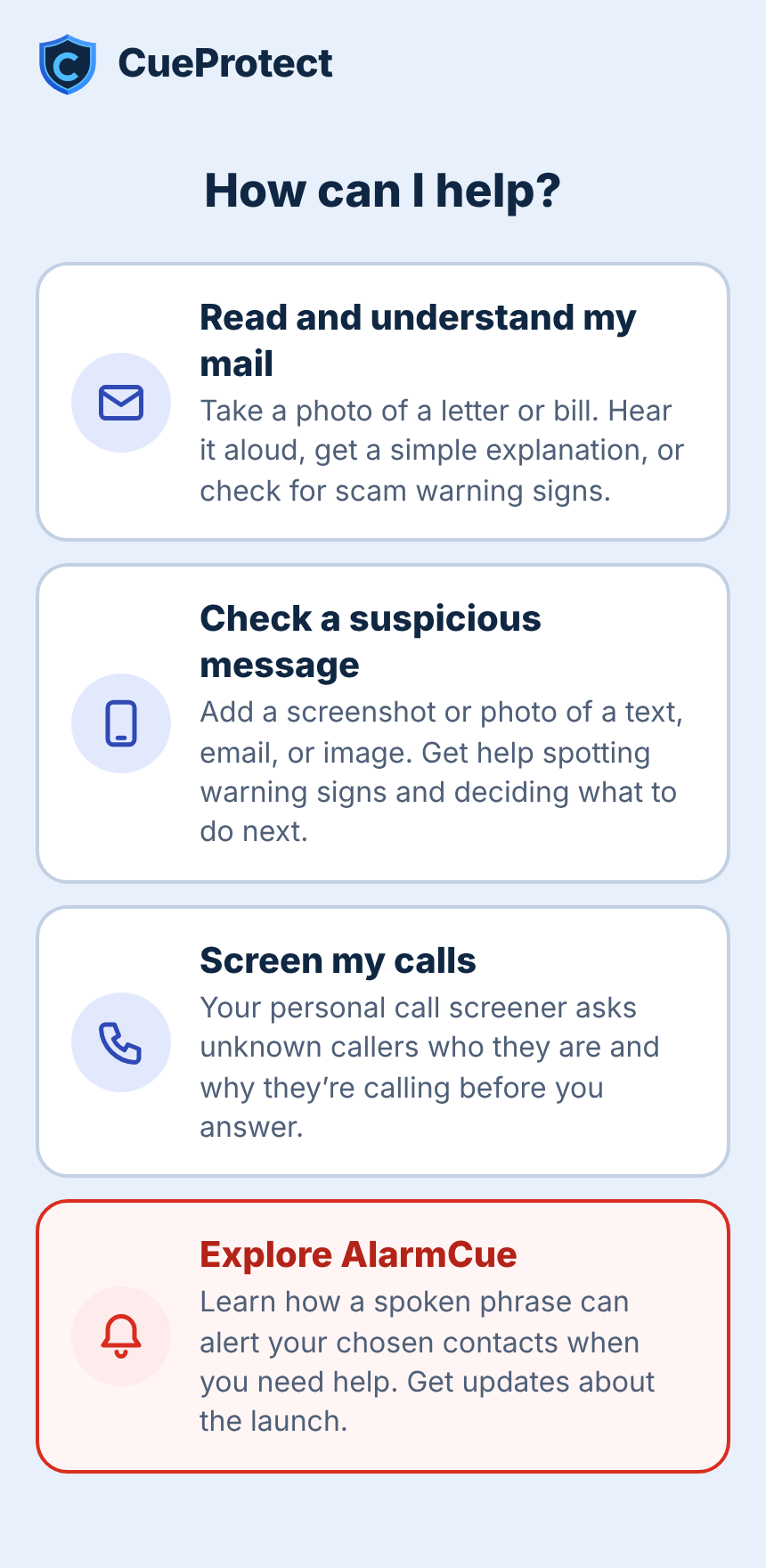
The CueProtect home screen: How can I help? Read and understand my mail, Check a suspicious message, Screen my calls, and Explore AlarmCue in red.

Screen my calls and AlarmCue arrive in the CueProtect iPhone app after the app is released. Sign up below and we’ll email you when they’re ready.

AlarmCue Your people are one cue away.

Say it. They’ll know.

“Cue, I need help now.”

An urgent text goes outYour live location, for one hourYour people are told to call 911

A fall in the kitchen. A stranger at the door who won't leave. A moment when something just feels wrong, and your phone is across the room.

Say "Cue" and your phrase, and AlarmCue quietly lets the people you love know you need them. No app to open. No buttons to find.

What AlarmCue needs
  • An iPhone with Siri, or Vocal Shortcuts on iOS 18 or later. Apple's voice tools do the listening, not CueProtect.
  • The CueProtect app, set up once with the people you choose. Each person agrees to get alerts.
  • "Allow Siri when locked" turned on, if you want it to work while your phone is locked.
  • A cell or Wi-Fi connection.
  • "Cue, check on me" sends your family a gentle text and your location.
  • "Cue, I need help now" sends an urgent text with your live location. It tells your people to call 911 and send help to you, and not to come themselves. Your live location stops on its own after one hour.

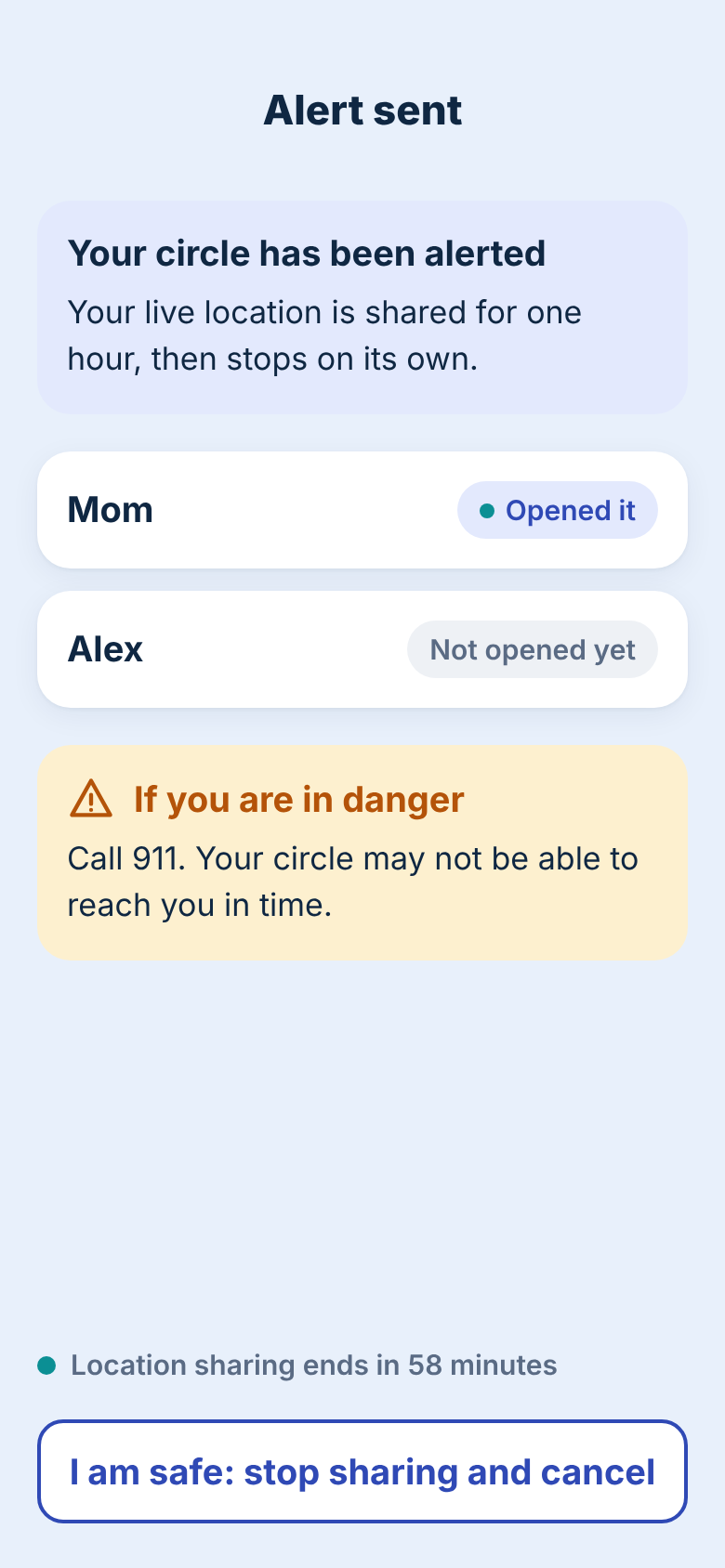
You see when each alert is sent and opened. Opening an alert doesn't mean help is on the way. Sharing your location ends on its own after one hour, or right away when you tap "I am safe".

Tap a picture to see it larger.
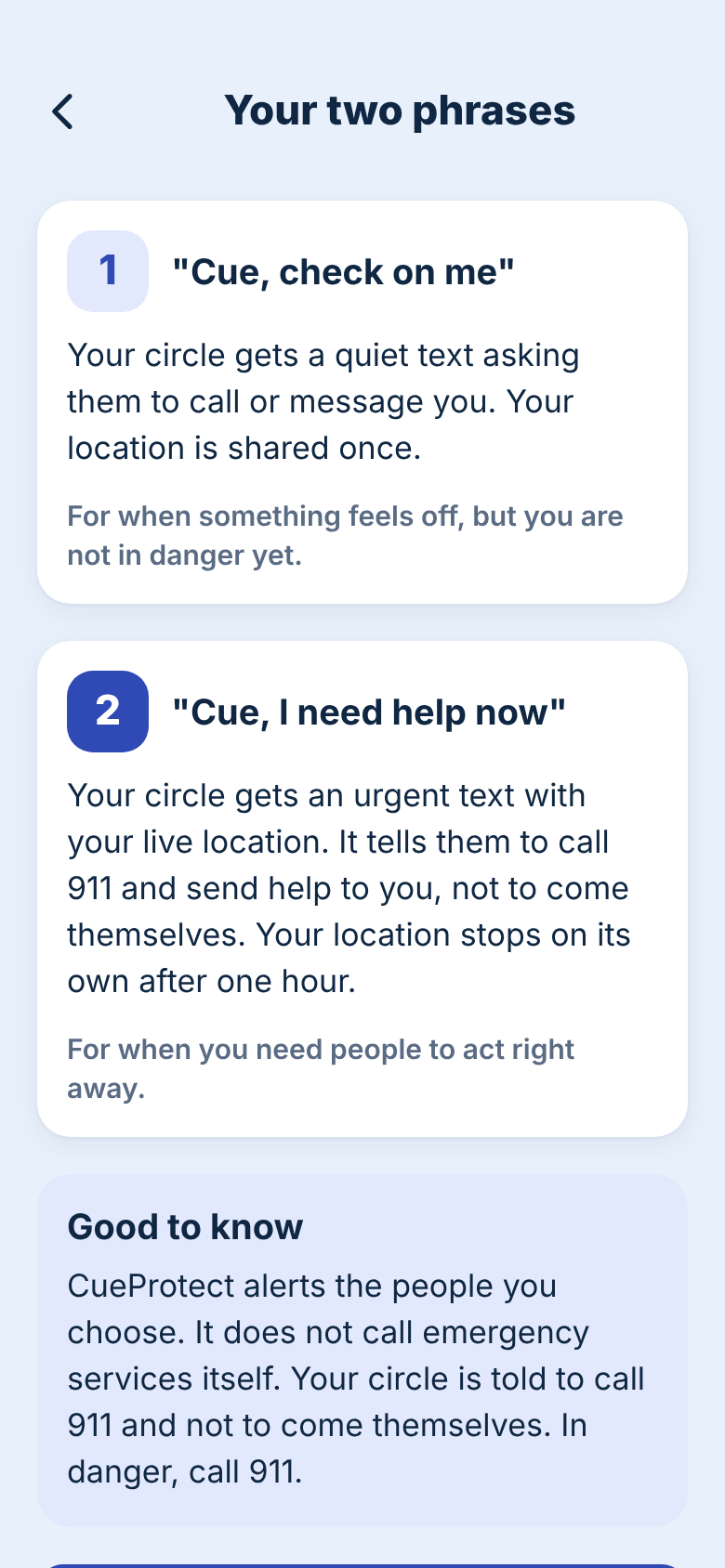
  • Phone screen: Your two phrases. 1, Cue, check on me: your circle gets a quiet text and your location once. 2, Cue, I need help now: an urgent text with your live location, telling your circle to call 911 and not to come themselves.Two phrases, two levels
  • Phone screen: Alert sent. Your live location is shared for one hour, then stops on its own. Mom opened it, Alex has not yet. If you are in danger, call 911. I am safe: stop sharing and cancel.You see who opened it
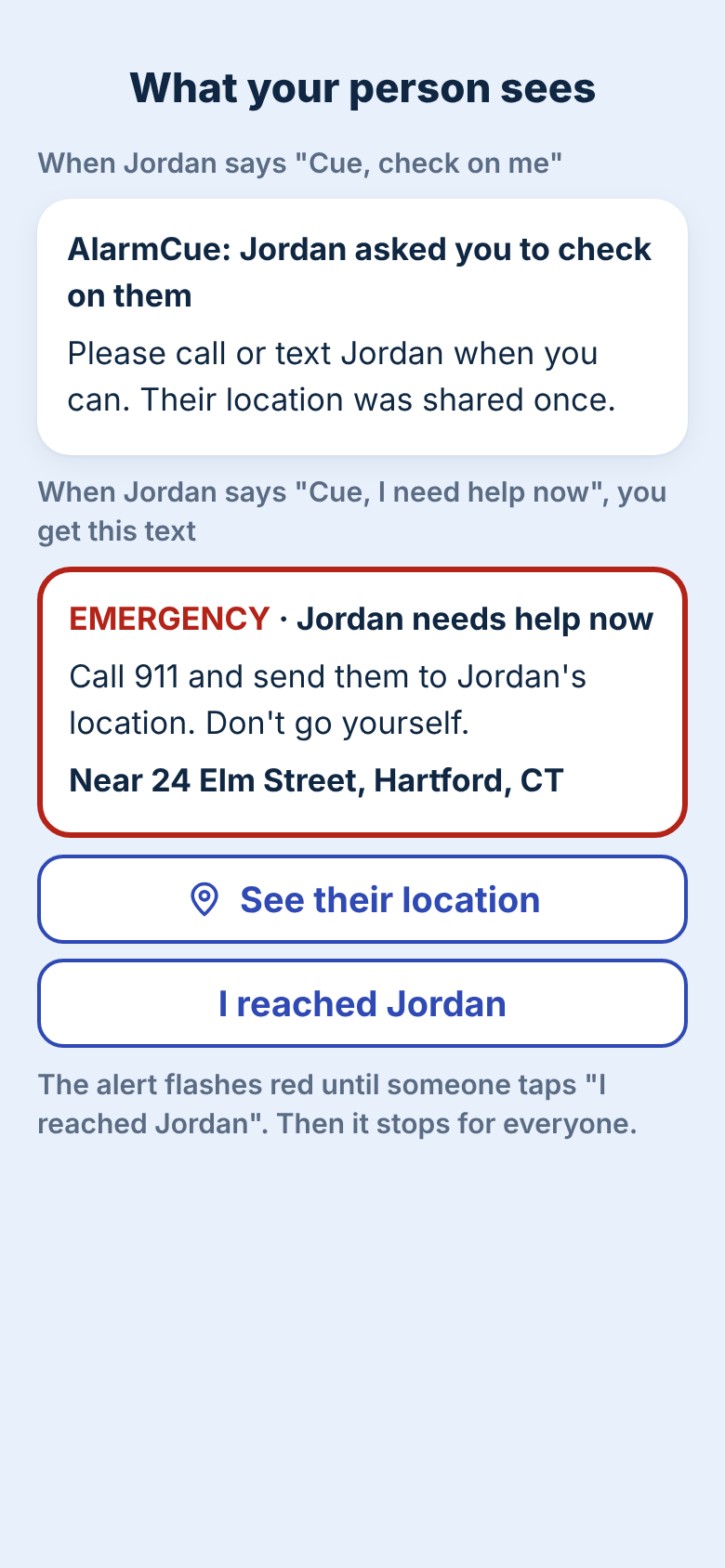
  • Phone screen: What your person sees. An emergency text saying Jordan needs help now: call 911 and send them to Jordan's location, and don't go yourself. It shows an address and buttons to see their location or say they reached Jordan.What your family sees

Want AlarmCue? Sign up for AlarmCue and we'll email you the details.

AlarmCue does not automatically contact emergency services. Your contacts can call 911 for you. If you can, call 911 directly in an emergency.

Screen my calls

Know who is calling before you answer

  1. 1An unknown caller ringsCallers are told they’re speaking to an automated screener.
  2. 2The screener asks who they are and why they’re callingThe caller’s answer is turned into text and checked for warning signs. No call audio is recorded.
  3. 3You can review what happenedSee the time, who the caller said they were, and whether warning signs were found.

We set it up with each family who asks. Request call-screening setup · How call screening handles data